Math Is Fun Forum
You are not logged in.
- Topics: Active | Unanswered
#1576 Re: This is Cool » My 3D engine: reinventing the wheel » 2005-11-20 12:12:44
Thanks. Sorry I was working on a thought and got an idea and stopped to test it. Didn't quite work but I might get it to work. I'll post more later. Busy busy!
#1577 Re: This is Cool » My 3D engine: reinventing the wheel » 2005-11-19 17:46:24
You guys are about as talkative as I am in real life. (math is the only thing I can yap on about)
Anyways, the system I just invented is fine for third person games. (where you see your character) But is fundamentally flawed and would not work for first person games. When you rotate your view using this method, the actuall view is actually much farther behind then your pretend point of view, so you actually see things that should be behind you. If you program objects to dissapear if they go behind you, then objects disapear into an invisible wall instead of going off the sides of the screen.
The projection formula for plotting the points after the rotations are complete is this:
X = (Scalefactor * Xd)/Zd
Y = (Scalefactor * Yd)/Zd
Where Scalefactor is any desired constant, (which can be adjusted to zoom in or out) Zd is the measured distance from the viewer's z to the point's z on the z axis. Xd is the measured distance from the viewers x to the points x on the x axis. And Yd is the measured distance from the viewers y to the points y on the y axis. (crackers anyone?)
Most significant of those is the measured Z distance (Zd)
Zd = (point.z -viewer.z)
To shorten the vanishing points as I explained above, I added a constant C to this measurement to make everything C units farther away. It is important to note that short at long vanishing points follow the exact same line. BUT when the vanishing points are further back, objects stop vanishing quicker and appear to have less depth. See the pic of the four boxes I drew in the reply above? Both boxes vanish with 45 degree lines, but the boxes on the bottom appear to vanish slower.
So why do objects appear to vanish slower as they get farther away? Give me a sec I'll show you.
#1578 Re: Help Me ! » a history of mathematics » 2005-11-19 11:51:22
I was wondering if there was any sort of book like this. Sure would be an interesting read. I always like when my mathbook lessons briefly talk about famous mathematicians, what they discovered, proved, etc. I'd like to know how it all started.
Another thing I'd like to know is where the names "algebra" and "calculus" came from. Trigonometry is obvious but algebra and calculus, dunno. While we're on the subject, how do we define "algebra" and "calculus"? Algebra might be called the study of equations? Calculus, studying magic? :-D
#1579 Re: This is Cool » Infinity comparisons » 2005-11-18 06:15:28
oh your talking about two! Stupid me! I gets it. Hey I like it! One owt!
#1580 Re: This is Cool » Infinity comparisons » 2005-11-18 06:14:13
half of w00t?
Well if half of w00t is owt, twice w00t should be "in".
#1581 Re: This is Cool » Infinity comparisons » 2005-11-17 17:04:24
being the reciprocal, shouldn't it be rebu? Thats the inverse of uber. (or is it just uber in a mirror?)
#1582 Re: Help Me ! » Trig Waves question ??? » 2005-11-17 16:55:09
"Trig waves"? BLASPHEMY! >:-O
#1583 Re: This is Cool » Infinity comparisons » 2005-11-17 14:53:29
What if we were to use a completely gigantic but fixed number. We could treat it as any real number, we could use any of the laws of equality, (multiplicitive, additive) but it wouldn't have the infinite property where it can't really be measured. Might be usefull.
For instance, if we were to think of a number in groups of 999's, 100 times. The number would be:
999,999,999,999,999,999,999,999,999,999,999,999,999,999,999,999,999,999,999,999,999,999,999,999,999,999,999,999,999,999,999,999,999,999,999,999,999,999,999,999,999,999,999,999,999,999,999,999,999,999,999,999,999,999,999,999,999,999,999,999,999,999,999,999,999,999,999,999,999,999,999,999,999,999,999,999,999,999,999,999,999,999,999,999,999,999,999,999,999,999,999,999,999,999,999,999,999,999,999,999"!" FACTORIAL! :-D
If we were to call this number "w00t", then we could say "w00t^w00t" which are both factorials of the above. Note, not only is the base a factorial of the above number, but the exponent is also a factorial of the above number. Now thats a tyranasaurus number! Especially if you realize that 10!^10! is too big to fit on a 10 digit calculator. :-O We could now define "Uber" to mean "w00t^w00t"
Now "uber" is so big that 1/uber might as well be called zero.
Might be good to use for some experimenting. It doesn't posess certain qualities of infinity, for instance, you could not even theoretically say, the expression 1/x has a limit of Uber as x aproaches zero. Thats wrong for obvious reasons. But Uber has a fixed value, and it can have coefficiants, and you can multiply or add this number to both sides.
I just thought it was a cool thought. :-)
#1584 Re: Help Me ! » differentiating » 2005-11-17 14:26:59
Back. Ok, anyways, when you differentiate you take the derivitive and have to multiply by d( ) and you insert the variable in the parenthesis.
For instance:
y = x^4
differentiate:
dy = 4x^3 dx
now pay attention, mortals, if we have this function:
y = u^4
differentiate:
dy = 4u^3 du notice! We used du instead!
likewise, if we have this function:
k = s^4
differentiated:
dk = 4s^3 ds
In my oppinion, often the best way to demonstate something is by visual presentation, and allow the student to inspect if to look for patterns, rather then the teacher having fun listening to himself talk about the reasoning behind it, proudly displaying how smart he is, and how it makes PERFECT sense to him. (...what? lol, just kidding). I think its a good idea to get the message across with pictures and written examples. But thats just my oppinion.
#1585 Re: Help Me ! » differentiating » 2005-11-17 13:52:44
One thing that confused me initially is that I would differentiate a term like U^2 like this:
2u dx.
I thought it was always dx that was used (and dy for the vertical). This would especially confuse me in implicite differentiation. I couldn't understand how to differentiate y because if you differentiate y^2 you get
2y dy
This would drive me up a wall.
(gotta go for a bit, more on this when I get back.)
#1586 Re: Help Me ! » differentiating » 2005-11-17 13:47:53
Well I mean like implicit differentiation.
x^2 - y^2 = 9
differentiate
2x dx - 2y dy = 0
We can now find dy/dx by dividing the equation by dx.
2x dx/dx = 2y dy/dx
dx/dx cancels out,
2x = 2y dy/dx
Divided both sides by 2y.
2x/2y = dy/dx
simplified
dy/dx = x/y.
You can also find dx/dy by dividing by dy after we differentiate.
original equation x^2 - y^2 = 9
differentiated:
2x dx - 2y dy = 0
Divide by dy (we're trying to find dy/dx)
2x dx/dy -2y dy/dy = 0
dy/dy cancels out.
2x dx/dy - 2y = 0
solved for dx/dy and simplified.
dx/dy = y/x. (note dy/dx was x/y and dx/dy was y/x)
We can also find dy/dt or dx/dt (whatever dt is, lol) by dividing by dt after we differentiate.
original equation:
x^2 - y^2 = 9
differentiated
2x dx - 2y dy = 0
Divide by dt.
2x dx/dt - 2y dy/dt = 0
Now we can solve for either dy/dt or dx/dt depending on which one we want. We'll solve for dy/dt.
2 dy/dt = 2 dx/dt
dy/dt = (2 dx/dt)/2
I'm not sure what dt stands for at this point, I just know its something to do with time. I'm sure I'll soon find out what its for.
At first I thought dy/dx was just a notation, this is what I meant by saying the form of the expression can be changed by multiplying or dividing by dy, dx, or dt. Its kind of like unit multiplyers I suppose. I believe I"m getting the hang of it.
#1587 Re: Jokes » Oh, my achy breaky brain.... » 2005-11-16 13:25:16
Hehehe! But I think we could save time and space if we didn't use binary. :-P
#1588 Re: Jokes » Oh, my achy breaky brain.... » 2005-11-15 18:51:08
This is pure genius! Really! It proves english is complete and utter idiocy and we need to switch to a form of mathematical communication.
#1589 Re: Jokes » Here's a groaner if anyone'd like... » 2005-11-15 18:39:58
Hahahah! Thats great!
#1590 Re: This is Cool » My 3D engine: reinventing the wheel » 2005-11-13 21:45:17
Some things to consider. Top left, At first I was treating the virtual observer, and the real observer as the same thing. This isn't necessarily incorrect but it produces vanishing points that are too short.
Top right. Instead we have the virtual observer (represented by the small circle) looking in one direction but the real obserer slighty behind that. Our angle is narrower but in relation to the virtual viewer, we can see things that would be way far out of his viewing cone. I understand now why in video games it always feels like everything is infront of us when it should far to the right or left of us. :-)
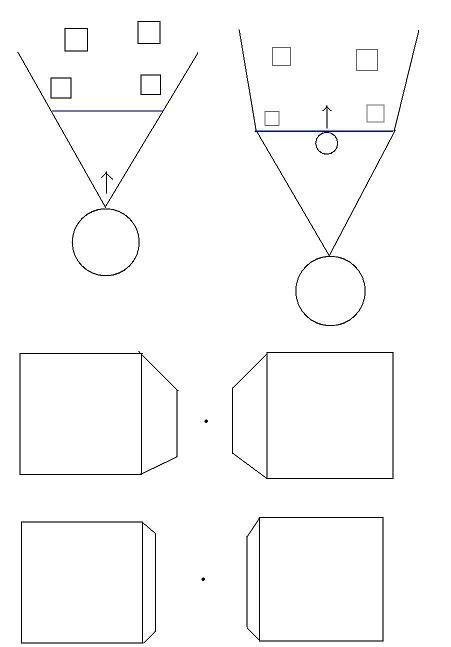
Heres another thing to consider. Bottom left and right pics. Vanishing points are the real meat and potato's of a 3d image. They create the illusion of depth, a third dimension. We needed to increase the distance of the vanishing points to avoid distortions. This is ok since it seems video games appear to do the same thing, but... if the vanishing point is close, we will see a lot of the insides of the two boxes (bottom left) but as the vanishing points get farther away, well, you see less and less of the insides of the box. (bottom right)
As the vanishing point gets farther away, our estimations of how close or far an object is, become more difficult to determine. For instance, in the bottom left, you can see a good deal of the side of the box and its pretty easy to estimate where the midpoint of that side is. On the bottom right, the exact location of the midpoint is more difficult to determine.
This gives me some idea's. For instance, if you wanted to make a video game, and their were certain times when greater depth perception would be helpfull (like in a fight) we could shorten the vanishing points, make the viewing cone more narrow (so we don't see the ugly distortions that quickly appear) and scale up the image a bit. This will give us a larger image, focused on a smaller area with enhanced depth perception. All your concern is your agressor so this would probably work great!
Anyways, thats all for now. :-)
#1591 Re: This is Cool » My 3D engine: reinventing the wheel » 2005-11-13 20:58:46
Here we are! :-D
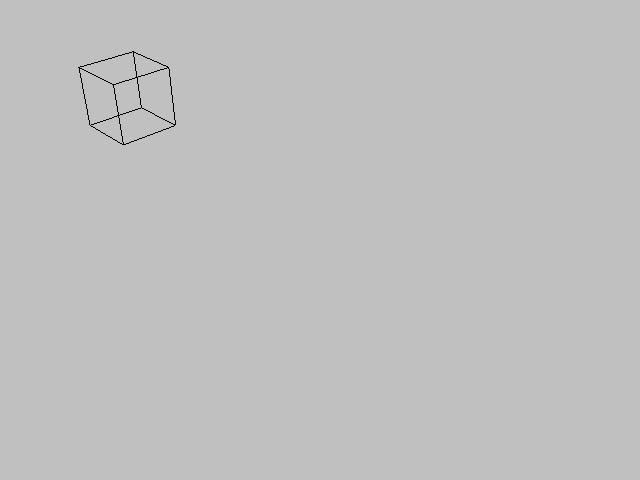
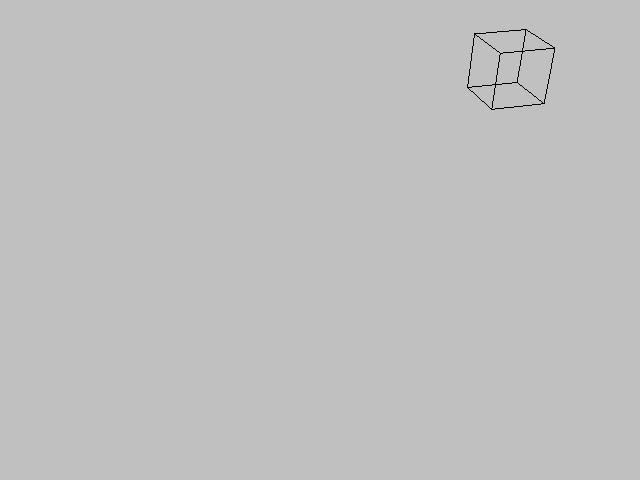
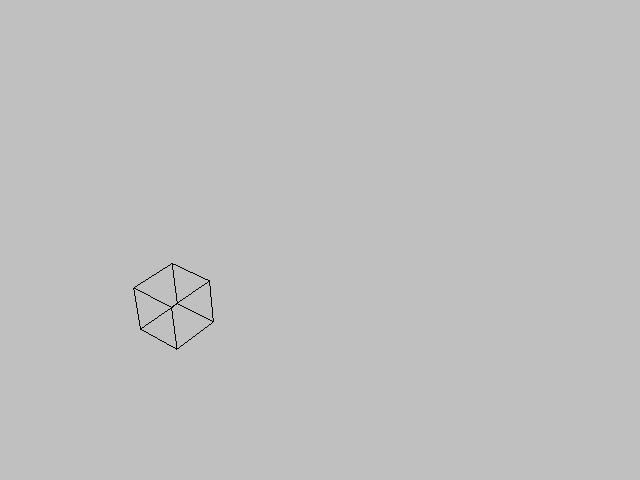
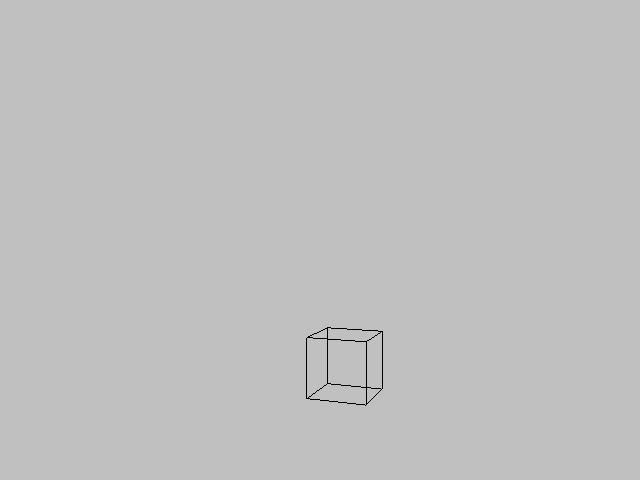
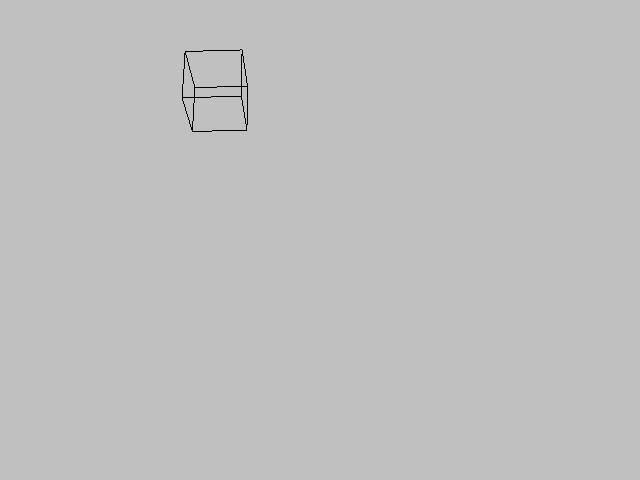
Sometimes it takes you a second to understand what your looking at. Everything looks good doesn't it? If I ever feel like an object looks like its leaning a bit, like in the second from the top pic, I can fix it by increasing the value of S and scaling up the image. I have it set where I can increment and decrement their values with the keyboard, while the program is running so I can feel around for the right values. I'll toy around with it to find what values work best and eventually make them constant.
#1592 Re: This is Cool » My 3D engine: reinventing the wheel » 2005-11-13 20:27:38
I think I've got it! :-)
Ok now this is pretty confusing so read carefully.
A. If we were to look at this 2 by 2 by 2 box from a distance of 12 units, the box would look reasonably small and the vanashing points would be pretty close. If we were to scale up the image size untill the box filled the screen, the vanishing points would be much further away.
B. If we wanted, we could "pretend" we were actually very close to the box instead of far away with a scaled up image.
C. So we're looking at the box from the location of the large head (the redline representing the screen) but we're "pretending" we're viewing it from the location of the small head.
D. But if we're "pretending" that we were as close to the box as I illustrated in B, if we were to rotate our view by about -30 degree's, we would expect to see the corner of the box in the center of the screen. But in reality, rotating our view by -30 degree's would result in that corner of the box being left of the center.
E. But, we insist on pretending we are that close, so instead, we rotate our real viewpoint about our pretend viewpoint. To make it look like feel like we're looking in our pretend direction by getting behind our pretend line of site. (kind of like operating a machine gun) continue below pic.
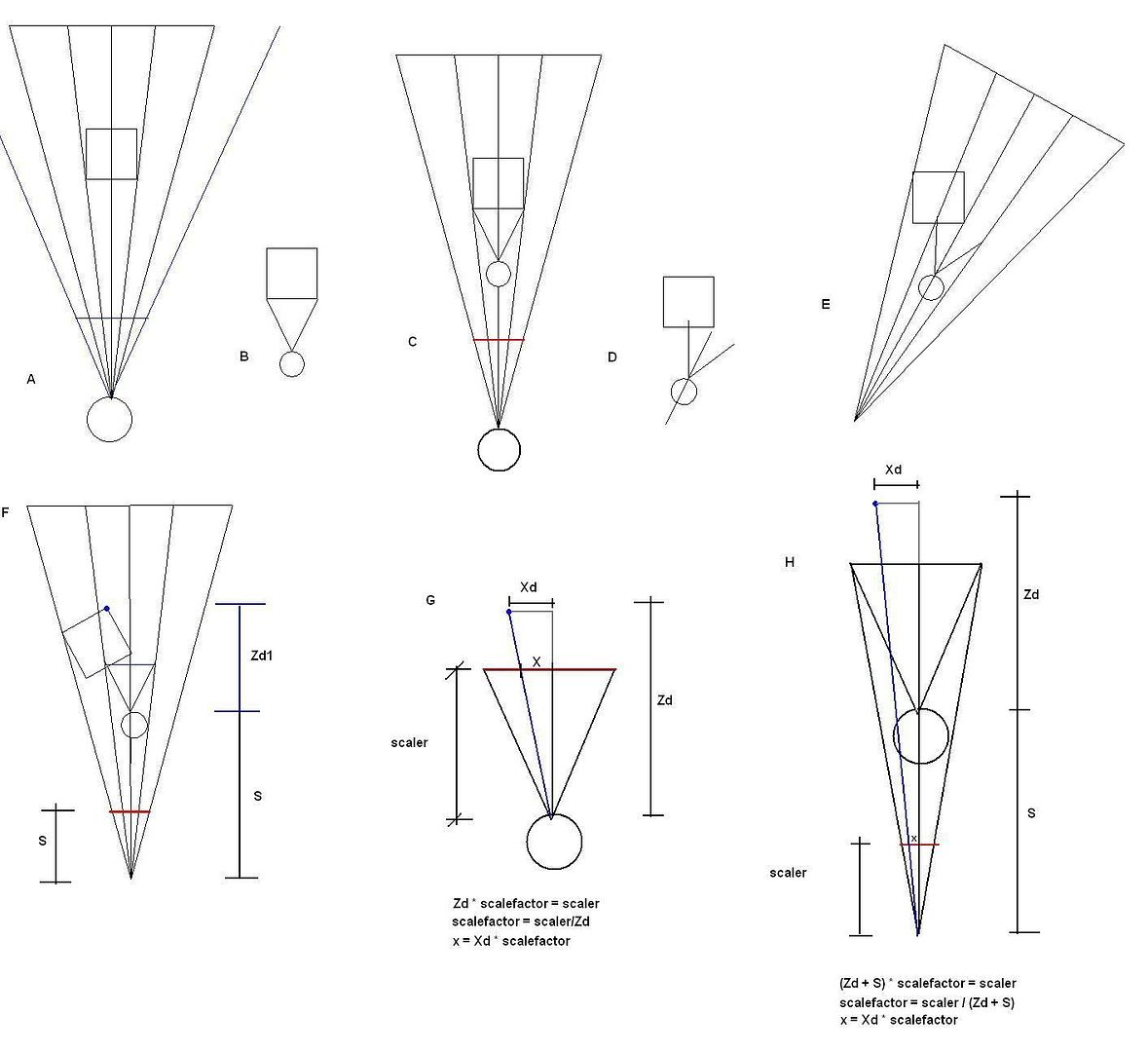
F. But if we rotate the entire picture back to vertical. We will find that the box has really just rotated around the viewer by + 30 degree's (the negative of -30), the same as it always does. So now all we have to do is scale it back to the screen. (the red line)
G. Originally, we found the coordinates of the virtual points using similar triangles. We checked the perpendicular distance from the viewer to the object, then drew two similar triangles. Then we find the scalefactor between the triangles. We then multiply the X distance from the viewer to the object, by the scale factor, to find the length of x. This gives us the x coordinate for where the object is to be displayed on the screen. (I used scaler as a variable, because increasing or decreasing its value, allows you to scale up or scale down the image.)
H. Now heres what it all comes down to. Our real viewing location is actually "S" units farther back then our pretend location. Now we want to scale the image down to the redline which is our screen. So the perpendicular to the point now equals the directed distance from the point to our pretend viewing location PLUS S. We now use (S + Zd) as the long side of the big triangle, and simply scale it down.
All I had to do was add the variable S to the Zdistance before scaling and change its value to adjust the extremity of the vanishing distances. Its a bit difficult to explain exactly why it does that, but its because zooming in makes the box larger and the vanishing points appear farther offscreen. We kind of mimiced the zoom effect by "pretending".
Pretending! A new mathematical concept!
Now I'll post some screens to show how well it works.
#1593 Re: This is Cool » My 3D engine: reinventing the wheel » 2005-11-13 16:48:07
The rotation of a point about a line? Well I haven't had much time to work on it, as I've been working on the 3d engine. That question was actually for after I've got the 3d engine working fine, for use with doing character animations. To manipulate a characters limbs so I could rotate their limbs about their shoulders, elbows, etc, based on their current location. I will be looking into that as soon as I'm done getting this display system sorted out.
I do believe I have found a solution for the short vanishing points, I just need to get my thoughts organized. Will be posting as soon as I do. :-)
#1594 Re: This is Cool » My 3D engine: reinventing the wheel » 2005-11-13 15:47:19
Hmmm... well I found out doing this is actually just restricting the viewing angle. Silly me.
But I still think the problem is definitly that they are vanishing too quickly. I'll need to think about this for a while.
Shrinking the objects and scalling up seems to fix the vanishing points but messes up the rotation. Perhaps if I redefined the rotation engine I could fix this.
#1595 Re: This is Cool » My 3D engine: reinventing the wheel » 2005-11-13 15:24:21
Hmmm... it would seem the problem with that is the vanish point is too close. If we wanted longer vanishing points, well everything would have to be smaller, and the image would need to be scalled up bigger. Take a look at this pic:
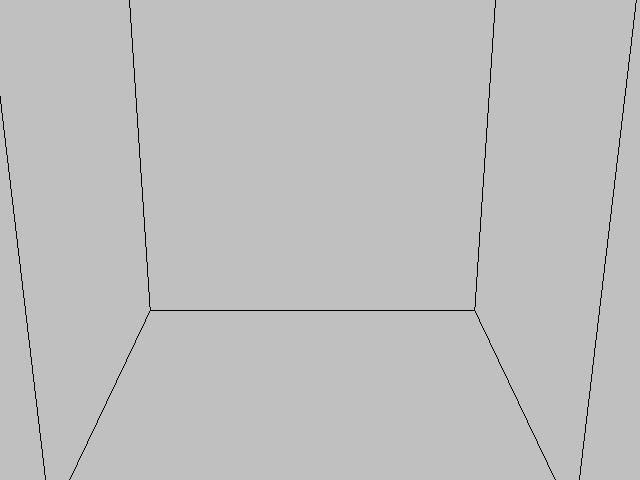
This the same box, only I moved the viewer inside it. The box now looks like its as big as a room and the vanishing points are much less abrupt. I think I read once that objects in 3d engines are supposed to vanish very slowly.
Anyways, if we were to use this box as the new room, the vanishing points are much less abrupt and we won't get that bizzare leaning distortion.
To do this, the size of the box would have to shrunk really small, and the scale factor would have to be increased to a very large number.
Of course, this throws off a lot of stuff, for instance a slight change of the viewers coordinates equals a big change in this, miniature world. So I'm really going to have to analyze this and see how everything is effected mathematicly by shrinking the objects size, and increasing the scalefactor. Then rearrange the formula into a more convenient form.
Now we're getting somewhere! :-D
#1596 Re: This is Cool » My 3D engine: reinventing the wheel » 2005-11-13 13:59:49
What's somewhat peculiar is the wierd distortions that occur here and there seem to be consistant with the laws of perspective.
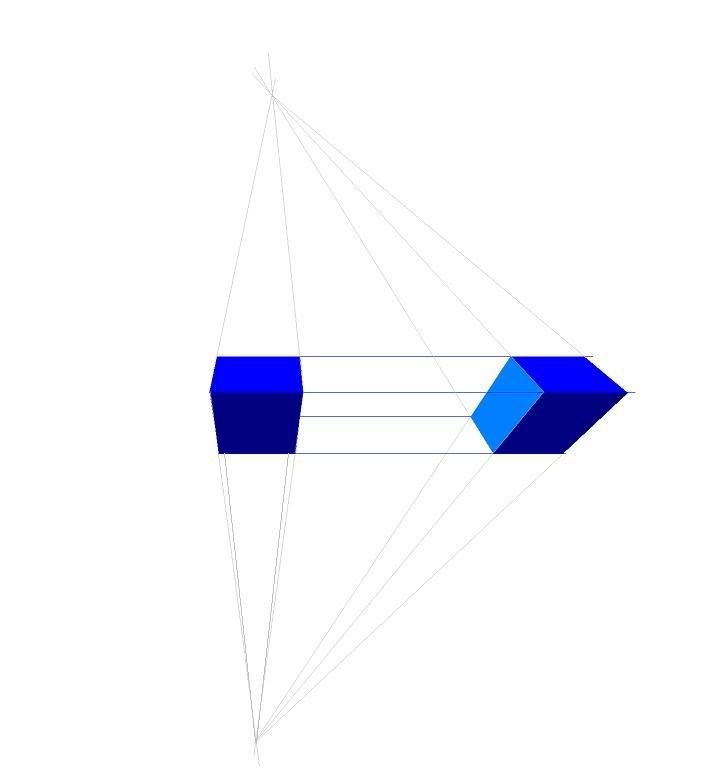
Take a look at this pic. When we look at the box with our angle of view tilted downward, the object appears to get wider as it moves up (since its getting closer to us) or you could just say its vanishing downward. If a box the same size is placed next to it, the same distance from you, and alligned parelell with the other box, all of the vanish points should be the same.
In this pic I drew a box pretty far to the right for an exagurated distortion. As you can see, the object is vanishing to the right points, but the box looks bizzare. Now this box is placed way too far out (the viewing cone should always be restricted to no more then 60 degree's) but like I said this is an exaguration to demonstrate a point.
Anyways, in the last two pics the view is tilted downward and the box is moved to the side. The same leaning occurs. The vanishing points are correct as my drawing demonstates. So, my math appears to be correct. Maybe I just need to keep the viewing cone moderately narrow.
#1597 Re: This is Cool » My 3D engine: reinventing the wheel » 2005-11-13 13:33:03
Ok here we go.
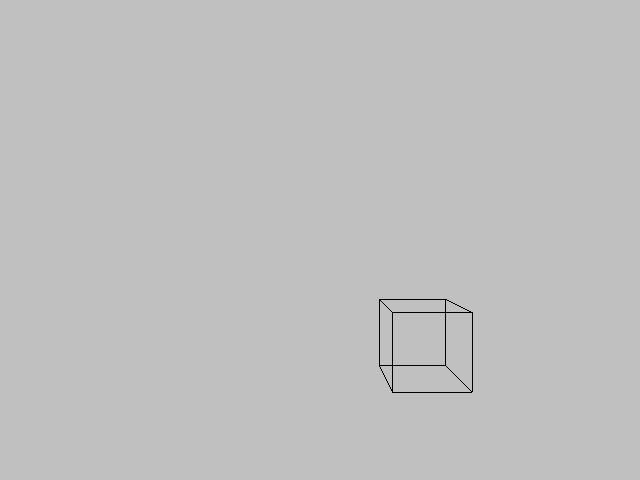
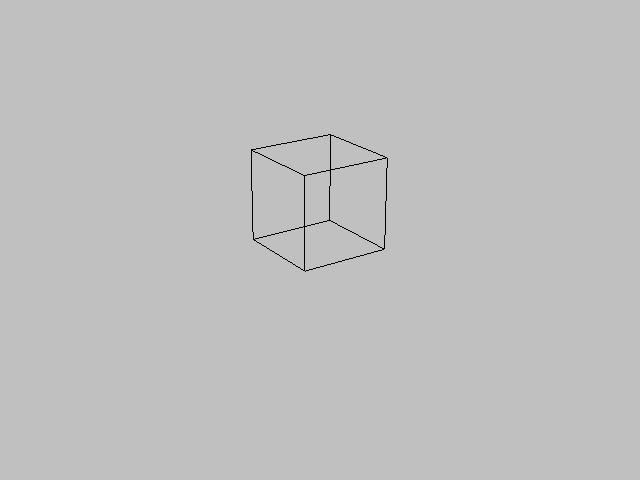
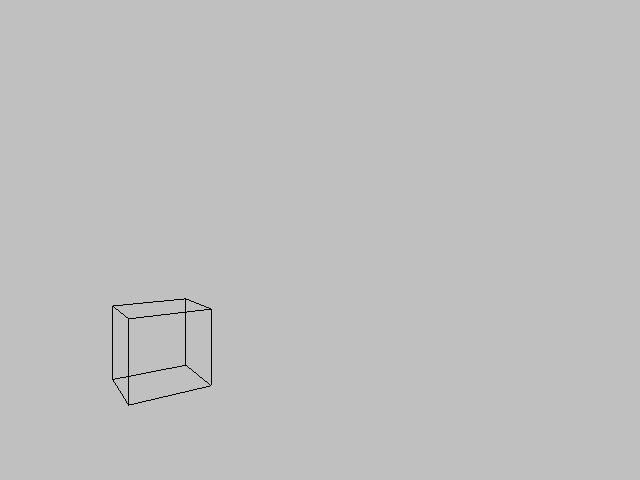
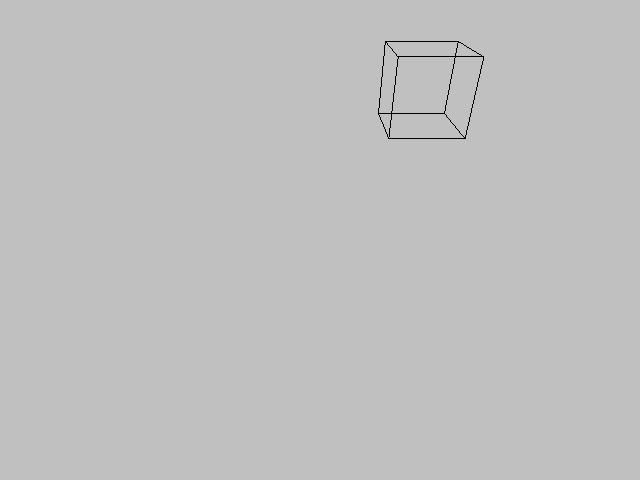
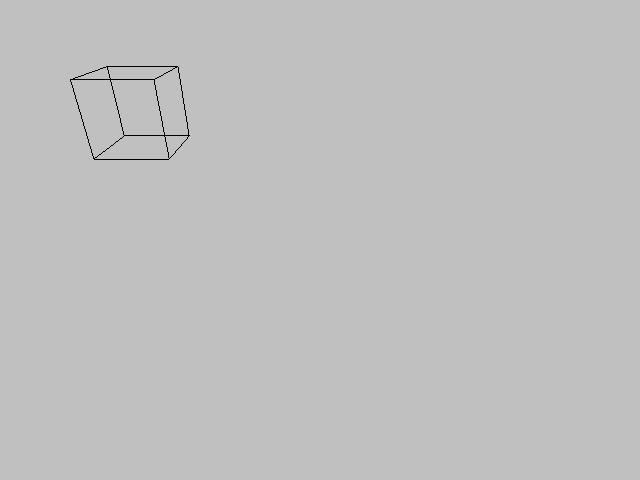
As you can see, some of them look somewhat odd, but I found the variables in these programs don't hold very accurate decimal numbers so this can only plot it so accurately.
#1598 Re: This is Cool » My 3D engine: reinventing the wheel » 2005-11-12 19:19:41
Hehehehheh! Well before I was using dots to plot the location of the corners but I found out, for some reason those dots were not coming out in the right spots. I was using small sprites as dots but when I started just drawing lines without sprites or dots, the new lines appeared in a slightly differant location and the box seems to look better now. On top of that I think I found out how to make screenshots so I may be able to post some shots now.
#1599 Re: Help Me ! » differentiating » 2005-11-12 19:06:54
Some examples of that (ie different forms of same equation) would be good. I am interested to see where this leads, coz one day I might try to explain differentiation on the website (with animations maybe!).
By that, are you saying your not sure what I mean?
Btw, did you ever teach calculus?
#1600 Re: Help Me ! » differentiating » 2005-11-12 12:58:19
Hmm... well I reviewed everything I learned about derivities and differentials last night. I think I'm a bit more clear on it.
I think the reason for the confusion is dy/dx is just an expression of a ratio. Therefore even if the ratio is 3/4, dy does not have to be 3 and dx does not have to be 4.
So the value of the indivual values dy and dx is not only infinite (since any ratio can be expressed with any number, OR any denominator) but this ratio is also undefined untill we actually insert an x value into the derivitate of the function, to find the slope of the line at that value of x in the function.
So I suppose its hard to define dy and dx because:
dy/dx = 3/x
Not only is the ratio undefined undefined until we insert a value for x, but even after that the individual values of dy or dx could be any two numbers with a ratio of 3/x.
For instance, if x = 6 the ratio is 1 to 2. So dy could equal 1 if dx equals 2, dy could equal 4 if dx equals 8. I think this double dependance is whats confusing me and preventing me from understanding what values they stand for. Because each individual variable can have any value if the other variables are given the right values.
Also I was looking at some of the manipulations of dy/dx, multiplying the expression by dx or dividing by dy, and it seems while dy and dx seem to be nothing but notations, dx/dx can be cancelled out as well as dy/dy. Yet the manipulations seem to change the form of the notations to change the expression into a differant form. To me, this sounds an awfull lot like unit multipliers.
2 feet. Convert to inches.
2 ft * 12 inches/1 ft 12 inches in one foot. Multiply by 12 inches over 1 foot.
24 inches ft/ft ft over ft canels out.
24 inches.
The dy/dx manipulations seem very much like the same thing. Am I correct?